Your whole library.Inside Final Cut Pro.
Find shots and spoken moments in your Focus library. Choose the exact passage and drag it into your edit.
Apple silicon · macOS 13+ · Beta 28
Focus and Final Cut Pro required.
New to Focus? Start a free trial
Sample library. Illustrative workflow, edited for clarity.
Your archive is part of the edit.
Search every indexed video in your active Focus library, including footage from earlier projects. Keep the whole library in reach, or narrow the search to a folder or collection.
Visual search and spoken-word search, in the same panel.
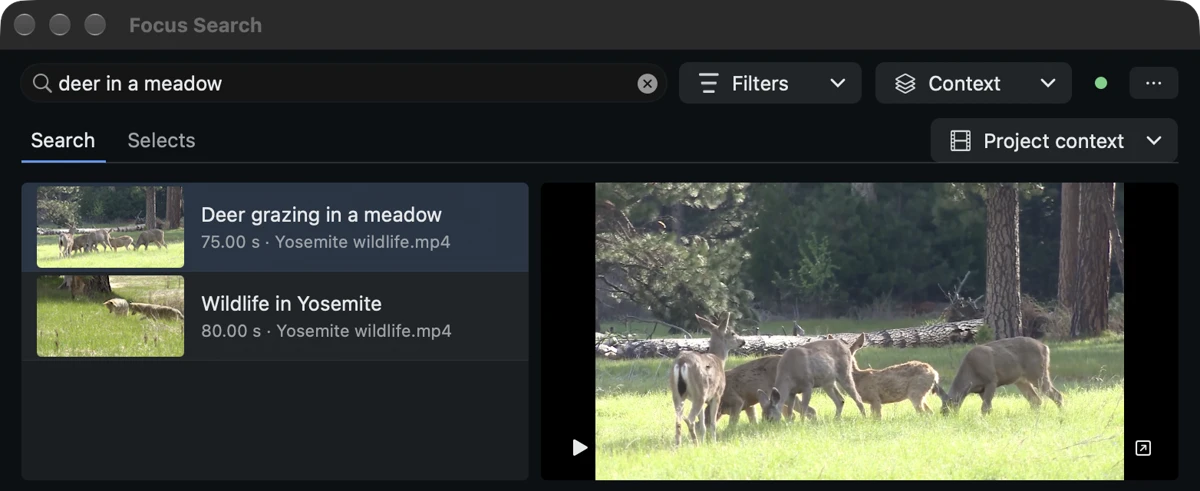
Keep exactly the moment you need.
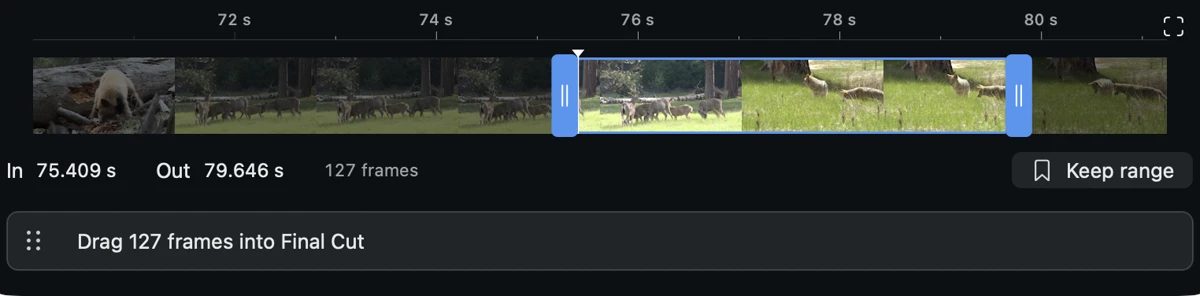
Preview the source in context. Move the In and Out handles one frame at a time, zoom around the result or fit the whole clip. Drag the verified source range into a Final Cut event or timeline.
Your In and Out points travel with the clip.
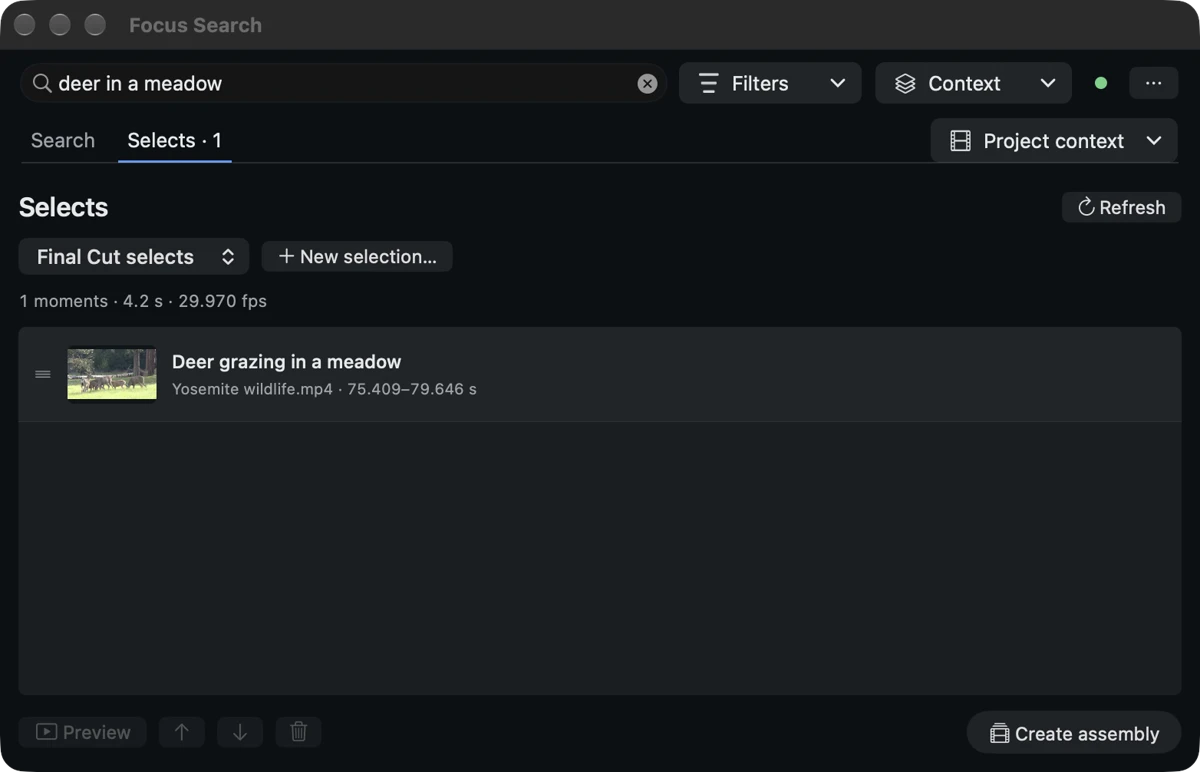
Build a selection as you go.
Keep useful ranges in a Focus Selects list. Review and arrange your moments, then create an assembly for Final Cut when you are ready.
Selects actions depend on your installed version of Focus. The extension explains when an update is needed.
Ready for your next edit?
I already use Focus
Add the extension to your existing library.
- Unzip the download. Move Focus for Final Cut to Applications and open it once.
- In Final Cut Pro, choose Window → Extensions → Focus Search.
- Open Focus and connect your library when prompted. Start searching.
I’m new to Focus
Focus prepares the library. The extension brings it into Final Cut.
- Install Focus and start your free trial.
- Add a few clips and let Focus prepare them for search. Initial analysis is required.
- Install the free extension, connect to Focus and find your first moment.